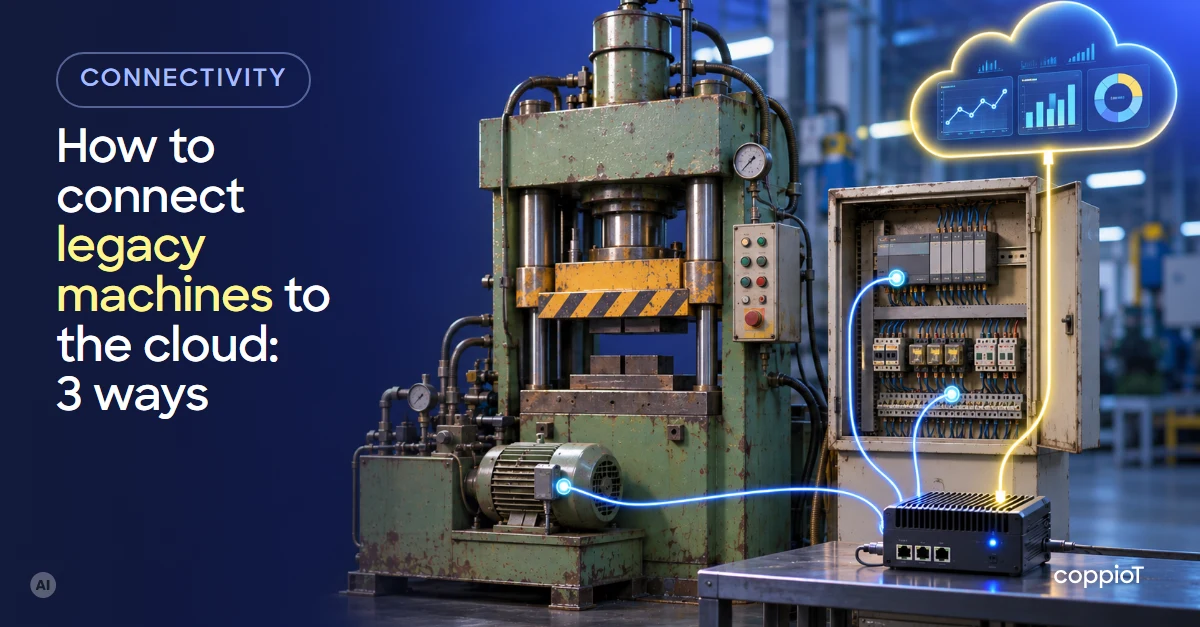
A legacy machine can be connected to the cloud without redesigning it. There are three ways, depending on what it has: read its PLC¹ if it has a communication port, read its electrical signals (run, stop, parts, a 4–20 mA measurement) if it doesn’t, or add a meter or a sensor when the data you want isn’t in the machine. In all three, a gateway on the shop floor collects the data and sends it to the cloud.
Do you need to replace a legacy machine to digitise it?
No. A twenty-five-year-old hydraulic press that still makes good parts doesn’t need replacing for you to know how much it produces, when it stops or how much energy it uses. Digitising isn’t renewing: it adds a layer that reads what the machine already does.
What you do need is to know two things before you start: what you want to know about the machine (stops, parts, energy, a temperature) and what it has to give you that. And it helps to be clear about what isn’t there: the PLC holds current values, not the history. The cloud keeps the history from the day you connect the machine.
In most cases the machine’s logic doesn’t change. At most, the PLC’s communication is enabled or configured, or a few signals are wired in the cabinet.
Which path to use, depending on what the machine has
| What the machine has | Path | What data you get | What you need |
|---|---|---|---|
| PLC with an Ethernet port (OPC UA² or Modbus³ TCP) | 1. Read the PLC | What the PLC handles: states, counters, temperatures, alarms | Enable or configure communication; for Modbus, the register map |
| PLC or device with a serial port (Modbus RTU) | 1. Read the PLC | The same | A gateway with an RS-485⁴ serial port |
| No communication, but signals in the cabinet | 2. Read the signals | Run and stop, parts, alarm, 4–20 mA or 0–10 V measurements | A Modbus input module, analogue inputs or a pulse counter |
| The data doesn’t exist in the machine | 3. Add the measurement | Energy, vibration, temperature, flow | An energy meter or a sensor with Modbus or an analogue output |
The three paths can be combined on the same machine: read the PLC and also add an energy meter in its cabinet.
Path 1: read the PLC
This path gives the most data. If the PLC has an OPC UA server, like a Siemens S7-1200 (from firmware V4.4) or S7-1500, or a Beckhoff with the TwinCAT OPC UA server, you only need to enable it, with its licence, and choose which variables to publish. If it speaks Modbus TCP, you need the register map: which data sits at each address. Without that document, reading Modbus is guesswork. We explain the differences in Modbus TCP vs OPC UA.
Many older devices only have a serial port with Modbus RTU. Then the gateway connects over RS-485 and the rest is the same. And PLCs that speak neither OPC UA nor Modbus can often be read too; how depends on the model, and we look at it with you.
Path 2: read the electrical signals
When the PLC doesn’t communicate, or the machine has no PLC at all, its signals are still in the electrical cabinet:
- Run, stop and alarm signals: a free contact on a relay or contactor, to a Modbus input module.
- Parts: the end-of-cycle signal or a sensor at the outfeed, to a pulse counter.
- Measurements: a temperature or a pressure already available as 4–20 mA or 0–10 V, to an analogue input.
With run, stop and parts alone you can already calculate availability, performance and, with the reject count, OEE⁵: we cover it in real-time OEE without spreadsheets. An electrician does the wiring in the cabinet, usually during a short stop.
Path 3: add the missing measurement
If what you want to know isn’t in the machine, it’s measured separately, without redesigning it:
- Energy use: an energy meter with Modbus in the cabinet, with split-core current transformers that clip around the cable without cutting it. It gives you energy per part, idle consumption and peak demand; we explain them in 5 energy KPIs to track.
- Motor vibration or temperature: a sensor bolted or glued to the housing, with a 4–20 mA or Modbus output. It’s the basis for watching the trend and getting ahead of a failure.
- Flow: a clamp-on ultrasonic flow meter fitted on the outside of the pipe, without cutting it.
What the gateway does on the shop floor
The gateway is software that runs on a PC in the plant, for example an industrial PC. It reads all three paths at once, filters the data and sends it to the cloud. If the internet connection drops, it keeps the data for about 1 or 2 days and sends it when the connection is back.
It needs internet access. If you don’t want the data to go through the plant network, a separate 4G or 5G mobile connection is used, agreed with your IT team. What isn’t possible is sending data to the cloud with no internet access at all.
How we do it with coppioT
coppioT is engapplic’s no-code industrial IoT⁶ platform: it connects PLCs, controllers, energy analysers and other equipment of any brand to the cloud, with no programming. It covers the whole vertical: from the PLC and the gateway on the shop floor to the cloud and the dashboards.
- We look at your machine with you: what you want to know and what it has to give you that. That decides the path, or the mix of paths.
- We connect it over OPC UA, Modbus RTU or TCP, analogue inputs or pulse counter, through a gateway whose installation files coppioT generates. coppioT is compatible with any PC or industrial PC; if you prefer, our gateway, available on request, comes with analogue inputs and a pulse counter.
- We build the dashboard with you in Grafana or Power BI, with the alerts you need.
That’s what we did on the paint booth we have connected at a RACC-AXA car workshop in Barcelona, with the integrator Sinnek: our gateway reads its analogue inputs and pulses, and the customer sees what the diesel or LPG⁷ and the electricity cost, and the cost per part and per hour.
All of that in days, not months: up to 90% faster than building it by hand. We start with a short consultancy at a fixed price with engapplic and a pilot on one or two machines before scaling.
Frequently asked questions
Can a machine without a PLC be connected to the cloud?
Yes. Its electrical signals are read in the cabinet (run, stop, parts, 4–20 mA measurements), or a sensor or an energy meter is added. With run, stop and parts you can already see production and stops in real time.
Do you have to stop the machine to connect it?
To read a PLC that already communicates, usually not. If the PLC’s communication has to be enabled or signals wired in the cabinet, a short stop or a shift change is used.
Is it safe to connect a legacy machine to the internet?
It’s one of the concerns, and rightly so: many older machines were designed for a closed network. With coppioT the machine isn’t opened to the internet: the gateway only makes outbound connections and no inbound port has to be opened. We explain it in industrial IoT security.
What happens if the plant loses its internet connection?
The gateway keeps the data for about 1 or 2 days and sends it when the connection is back. The exact time depends on the gateway’s disk.
Have a legacy machine you want to connect? Ask for a demo: fill in the form, tell us what it has and we’ll tell you which path we’d use.
Acronyms
¹ PLC (Programmable Logic Controller): the controller that runs the machine; for example, a Siemens S7 or a Beckhoff.
² OPC UA (Open Platform Communications Unified Architecture): an industrial communication standard to read data from a PLC or other device securely, with its name and type.
³ Modbus: a simple, widespread industrial protocol (RTU over a serial line, TCP over Ethernet). Data is read from numbered registers, following the map the device maker provides.
⁴ RS-485: a serial line standard that is very common in industry; several devices can share the same pair of wires.
⁵ OEE (Overall Equipment Effectiveness): multiplies a machine’s availability, performance and quality.
⁶ IoT (Internet of Things): industrial IoT (IIoT) connects machines and plant equipment to collect their data and use it.
⁷ LPG (Liquefied Petroleum Gas): propane or butane, a common fuel for burners and paint booths.


